
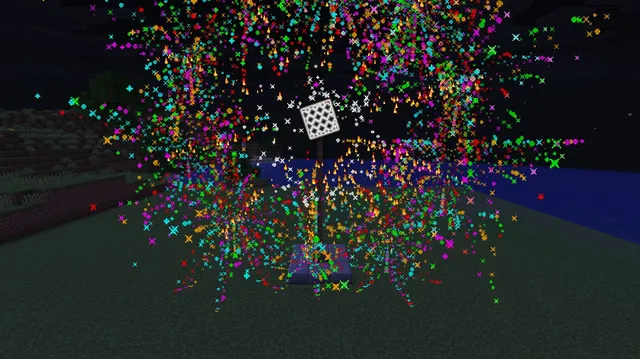
A glowing faceted crystal ball glides down a lit tower beside a giant 10-second countdown, triggering a 360-degree firework ring and confetti blizzard.
Watch a glowing, multi-faceted crystal sphere glide down a gold-and-lantern tower alongside a giant floating ten-second countdown. When the timer reaches zero, the display switches to a New Year greeting while the spinning ball launches a 360-degree crown of twinkling fireworks overhead.
During the celebration, sparkling firework embers and gold-to-magenta dust_color_transition particles fill the air like a confetti blizzard before the show smoothly resets for the next drop.
/scoreboard objectives add c9 dummy/fill ~-3 ~0 ~-4 ~3 ~0 ~2 polished_blackstone/fill ~-2 ~1 ~-4 ~2 ~22 ~-2 polished_blackstone/fill ~-1 ~1 ~-2 ~1 ~22 ~-2 gold_block/fill ~0 ~1 ~-2 ~0 ~22 ~-2 sea_lantern/fill ~-1 ~23 ~-4 ~1 ~23 ~0 gold_block/fill ~0 ~1 ~0 ~0 ~22 ~0 end_rod/data modify storage c9:d list set value [{"text":"10","color":"gold","bold":true},{"text":"9","color":"gold","bold":true},{"text":"8","color":"gold","bold":true},{"text":"7","color":"yellow","bold":true},{"text":"6","color":"yellow","bold":true},{"text":"5","color":"yellow","bold":true},{"text":"4","color":"red","bold":true},{"text":"3","color":"red","bold":true},{"text":"2","color":"red","bold":true},{"text":"1","color":"light_purple","bold":true},{"text":"HAPPY\nNEW YEAR!","color":"aqua","bold":true}]/summon text_display ~6.5 ~12.5 ~0 {Tags:["c9_text"],billboard:"center",background:0,shadow:1b,line_width:220,brightness:{sky:15,block:15},transformation:{left_rotation:[0f,0f,0f,1f],translation:[0f,0f,0f],right_rotation:[0f,0f,0f,1f],scale:[7.5f,7.5f,7.5f]},text:{"text":"10","color":"gold","bold":true}}/summon item_display ~0 ~20.5 ~0 {Tags:["c9_ball"],Glowing:1b,teleport_duration:2,brightness:{sky:15,block:15},item:{id:"minecraft:sea_lantern",count:1},transformation:{left_rotation:[0f,0f,0f,1f],translation:[0f,0f,0f],right_rotation:[0f,0f,0f,1f],scale:[2.8f,2.8f,2.8f]},Passengers:[{id:"minecraft:item_display",brightness:{sky:15,block:15},item:{id:"minecraft:gold_block",count:1},transformation:{left_rotation:[0.3827f,0f,0f,0.9239f],translation:[0f,0f,0f],right_rotation:[0f,0f,0f,1f],scale:[2.7f,2.7f,2.7f]}},{id:"minecraft:item_display",brightness:{sky:15,block:15},item:{id:"minecraft:amethyst_block",count:1},transformation:{left_rotation:[0f,0.3827f,0f,0.9239f],translation:[0f,0f,0f],right_rotation:[0f,0f,0f,1f],scale:[2.7f,2.7f,2.7f]}},{id:"minecraft:item_display",brightness:{sky:15,block:15},item:{id:"minecraft:diamond_block",count:1},transformation:{left_rotation:[0f,0f,0.3827f,0.9239f],translation:[0f,0f,0f],right_rotation:[0f,0f,0f,1f],scale:[2.7f,2.7f,2.7f]}}]}/scoreboard players add #t c9 1/scoreboard players add #step c9 1/execute if score #step c9 matches 20.. run scoreboard players set #step c9 0/execute if score #t c9 matches 280.. run scoreboard players set #t c9 0/execute if score #t c9 matches 0 run tp @e[tag=c9_ball] ~ ~20.5 ~ 0 0/execute if score #t c9 matches 1..200 as @e[tag=c9_ball] at @s run tp @s ~ ~-0.09 ~ ~12 ~/execute if score #t c9 matches 1..201 if score #step c9 matches 1 run data modify entity @e[tag=c9_text,limit=1] text set from storage c9:d list[0]/execute if score #t c9 matches 1..201 if score #step c9 matches 1 run data modify storage c9:d list append from storage c9:d list[0]/execute if score #t c9 matches 1..201 if score #step c9 matches 1 run data remove storage c9:d list[0]/execute at @e[tag=c9_ball] run particle end_rod ~ ~ ~ 1.5 1.5 1.5 0.03 8/execute if score #t c9 matches 201..232 as @e[tag=c9_ball] at @s run tp @s ~ ~ ~ ~45 ~/execute if score #t c9 matches 201..232 at @e[tag=c9_ball] run summon firework_rocket ^ ^-1 ^10 {LifeTime:18,FireworksItem:{id:"minecraft:firework_rocket",count:1,components:{fireworks:{flight_duration:1b,explosions:[{shape:"large_ball",has_twinkle:1b,has_trail:1b,colors:[I;16766720,65535,16711935],fade_colors:[I;16777215]}]}}}}/execute if score #t c9 matches 201..278 run particle firework ~ ~12 ~ 10 7 10 0.15 35/execute if score #t c9 matches 201..278 run particle dust_color_transition{from_color:[1.0,0.85,0.1],to_color:[1.0,0.15,0.75],scale:2.2} ~ ~10 ~ 9 6 9 0.05 45setup #8 Stores all eleven countdown labels (10 down to 1 plus the New Year message) in a rotating command storage list at <code>c9:d list</code> so the display entity can cycle through them without extra command blocks.setup #10 Summons the crystal ball as an <code>item_display</code> carrying three angled <code>Passengers</code> (gold, amethyst, and diamond blocks rotated 45 degrees on different axes) with full brightness and <code>teleport_duration:2</code> for smooth gliding.loop #6 Moves the crystal ball down <code>0.09</code> blocks and rotates it 12 degrees every tick for 200 ticks (10 seconds), bringing it cleanly from the top of the tower to the stage.loop #7 Every 20 ticks during the countdown, copies the front entry of <code>c9:d list[0]</code> into the floating <code>text_display</code>, while the next two loop commands move that entry to the back of the queue.loop #12 While the ball spins 45 degrees per tick at the bottom, spawns a <code>firework_rocket</code> at local coordinates <code>^ ^-1 ^10</code> so 32 rockets launch in a full 360-degree ring around the tower.loop #14 Emits <code>dust_color_transition</code> confetti particles shifting from gold to magenta across a wide area above the stage during the celebration phase.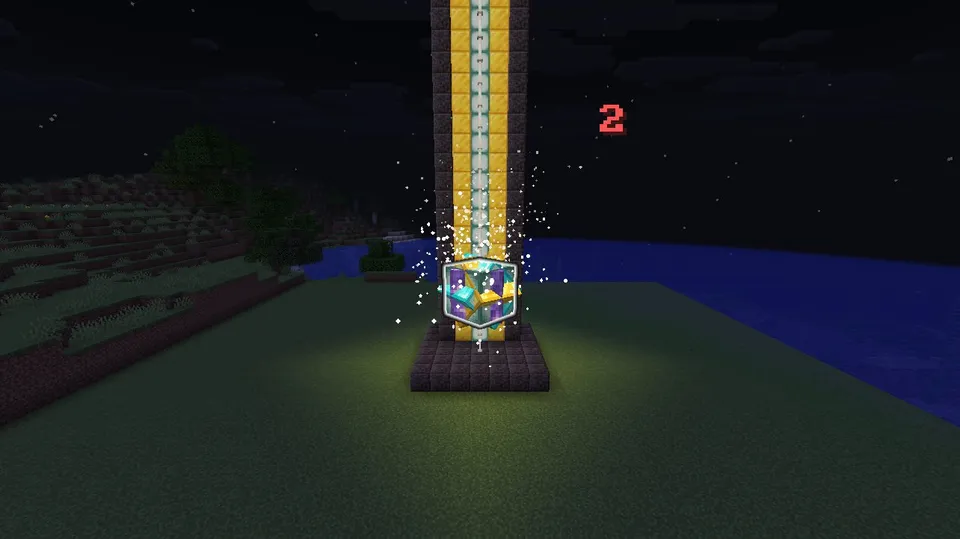
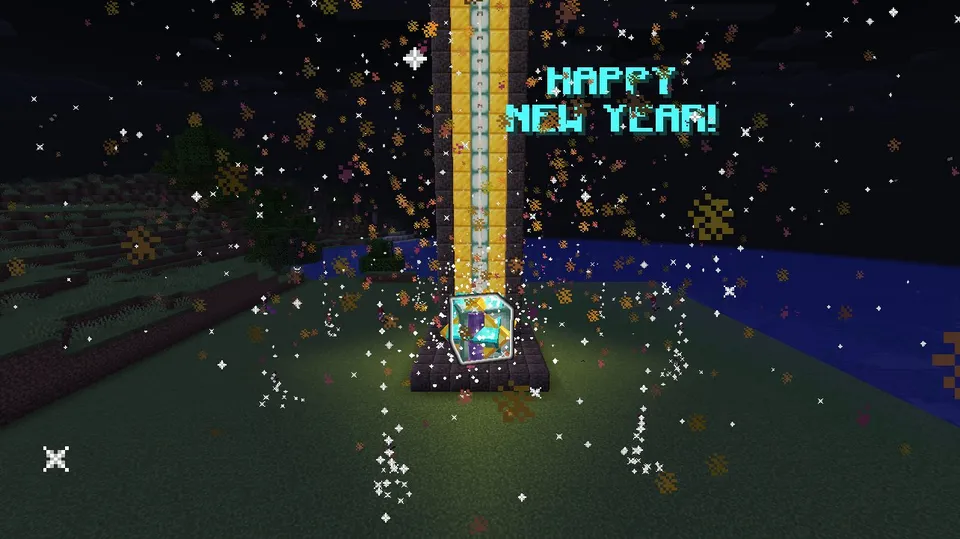
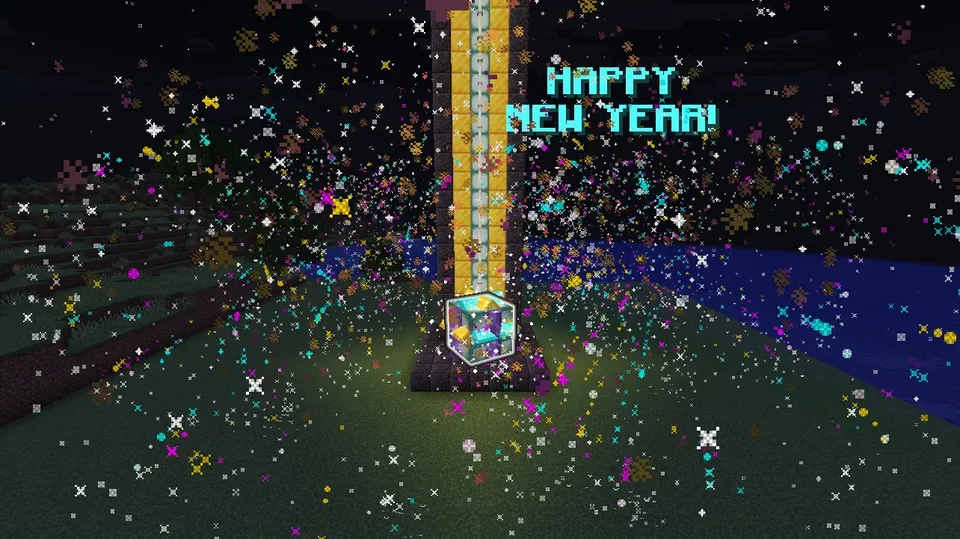
Recorded on our own test server: 67 frames at about 9.5 fps. Our image check saw: A glowing crystal ball glides down a gold and sea-lantern tower alongside a floating red countdown timer, culminating in a 'HAPPY NEW YEAR!' display surrounded by colorful fireworks and dust particles.
If you want players to trigger the drop on demand instead of looping automatically, switch the repeating command blocks to Needs Redstone wired to a lever, or keep them active and use a button that runs /scoreboard players set #t c9 0 and /scoreboard players set #step c9 0 whenever you want to start a fresh countdown.
/kill @e[tag=c9_ball]/kill @e[tag=c9_text]/kill @e[type=item_display,distance=..40]/kill @e[type=firework_rocket,distance=..40]/scoreboard objectives remove c9/data remove storage c9:d list/fill ~-3 ~0 ~-4 ~3 ~23 ~2 airYes. Edit the last entry in setup command 8 (currently "HAPPY\nNEW YEAR!") to your preferred year or greeting before running setup, then run the setup commands again after cleaning up.
The root item_display uses teleport_duration:2, which tells the client to smoothly interpolate its vertical drop and spin between ticks instead of snapping.
 ▶Festival Concert Laser Canopy RigFireworks & Light ShowsHard
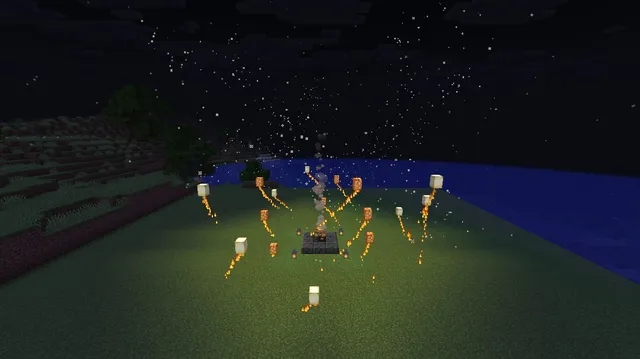 ▶Floating Sky Lantern FestivalFireworks & Light ShowsMedium
 ▶Giant Champagne Pop Confetti CelebrationFireworks & Light ShowsMedium
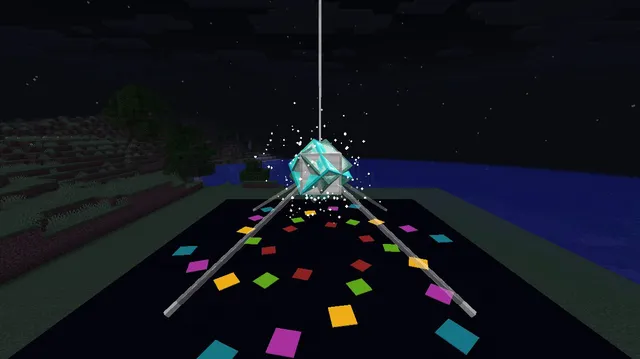 ▶Giant Rotating Disco Ball SpotlightFireworks & Light ShowsMedium
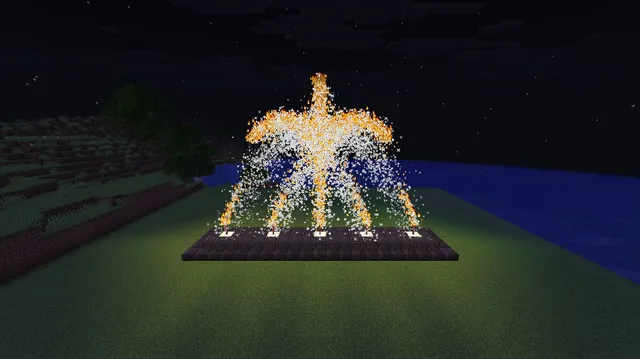 ▶Rhythmic Golden Sparkler Fountain ArrayFireworks & Light ShowsEasy
 ▶Spinning Catherine Wheel Firework PinwheelFireworks & Light ShowsEasy