
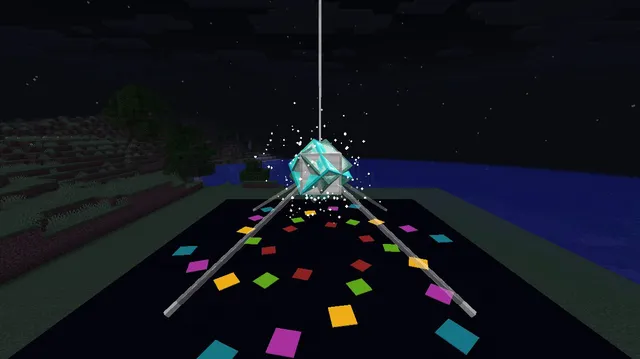
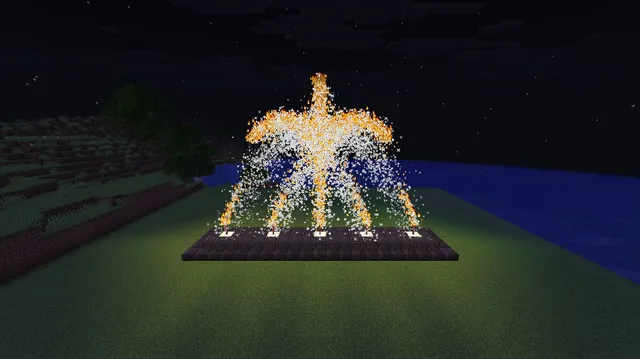
Two giant corner searchlights pan and tilt across the night sky, firing a bright starburst firework overhead every time their glowing beams cross.
Two oversized stage searchlights sit on lodestone pedestals in opposite corners of the platform, projecting long cyan and magenta light shafts into the night sky. Each projector smoothly tilts and pans along a curved path, trailing coloured dust ribbons overhead.
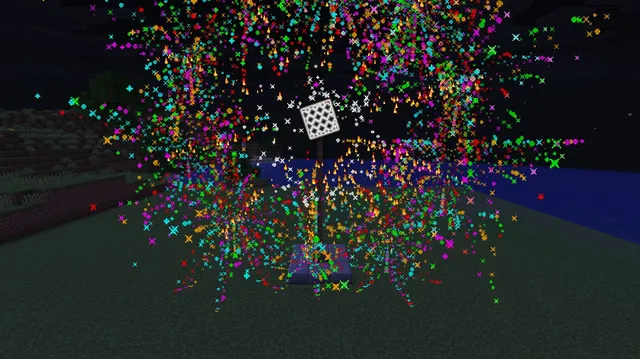
Every three seconds the two sweeping shafts meet directly above the centre of the stage, forming a glowing sky cross that triggers a star-shaped firework burst and a shower of bright sparks.
/scoreboard objectives add c9_tick dummy/summon marker ~ ~16 ~ {Tags:["c9_ent","c9_rot"],Rotation:[45f,0f]}/summon marker ~-8 ~16 ~8 {Tags:["c9_ent","c9_t1"]}/summon marker ~8 ~16 ~-8 {Tags:["c9_ent","c9_t2"]}/summon block_display ~-9 ~ ~-9 {Tags:["c9_ent"],brightness:{sky:15,block:10},block_state:{Name:"minecraft:lodestone"},transformation:{translation:[-1.1f,0f,-1.1f],left_rotation:[0f,0f,0f,1f],scale:[2.2f,1.3f,2.2f],right_rotation:[0f,0f,0f,1f]}}/summon block_display ~9 ~ ~9 {Tags:["c9_ent"],brightness:{sky:15,block:10},block_state:{Name:"minecraft:lodestone"},transformation:{translation:[-1.1f,0f,-1.1f],left_rotation:[0f,0f,0f,1f],scale:[2.2f,1.3f,2.2f],right_rotation:[0f,0f,0f,1f]}}/summon block_display ~-9 ~1.8 ~-9 {Tags:["c9_ent","c9_s1"],teleport_duration:2,brightness:{sky:15,block:13},block_state:{Name:"minecraft:iron_block"},transformation:{translation:[-0.8f,-0.8f,-1.2f],left_rotation:[0f,0f,0f,1f],scale:[1.6f,1.6f,2.8f],right_rotation:[0f,0f,0f,1f]}}/summon block_display ~-9 ~1.8 ~-9 {Tags:["c9_ent","c9_s1"],teleport_duration:2,brightness:{sky:15,block:15},block_state:{Name:"minecraft:cyan_stained_glass"},transformation:{translation:[-0.35f,-0.35f,1.4f],left_rotation:[0f,0f,0f,1f],scale:[0.7f,0.7f,20.5f],right_rotation:[0f,0f,0f,1f]}}/summon block_display ~9 ~1.8 ~9 {Tags:["c9_ent","c9_s2"],teleport_duration:2,brightness:{sky:15,block:13},block_state:{Name:"minecraft:iron_block"},transformation:{translation:[-0.8f,-0.8f,-1.2f],left_rotation:[0f,0f,0f,1f],scale:[1.6f,1.6f,2.8f],right_rotation:[0f,0f,0f,1f]}}/summon block_display ~9 ~1.8 ~9 {Tags:["c9_ent","c9_s2"],teleport_duration:2,brightness:{sky:15,block:15},block_state:{Name:"minecraft:magenta_stained_glass"},transformation:{translation:[-0.35f,-0.35f,1.4f],left_rotation:[0f,0f,0f,1f],scale:[0.7f,0.7f,20.5f],right_rotation:[0f,0f,0f,1f]}}/execute as @e[tag=c9_rot] at @s run tp @s ~ ~ ~ ~6 ~/scoreboard players add @e[tag=c9_rot] c9_tick 1/execute as @e[tag=c9_rot,scores={c9_tick=60..}] run scoreboard players set @s c9_tick 0/execute at @e[tag=c9_rot] positioned ~-4 ~ ~4 run tp @e[tag=c9_t1] ^ ^ ^5.66/execute at @e[tag=c9_rot] positioned ~4 ~ ~-4 run tp @e[tag=c9_t2] ^ ^ ^-5.66/execute as @e[tag=c9_s1] at @s run tp @s ~ ~ ~ facing entity @e[tag=c9_t1,limit=1]/execute as @e[tag=c9_s2] at @s run tp @s ~ ~ ~ facing entity @e[tag=c9_t2,limit=1]/execute at @e[tag=c9_t1] run particle dust{color:[0.1,0.95,1.0],scale:2.4} ~ ~ ~ 0.3 0.3 0.3 0 5 force/execute at @e[tag=c9_t2] run particle dust{color:[1.0,0.2,0.85],scale:2.4} ~ ~ ~ 0.3 0.3 0.3 0 5 force/execute at @e[tag=c9_s1,limit=1] run particle end_rod ^ ^ ^10 0.25 0.25 0.25 0.01 2 force/execute at @e[tag=c9_s2,limit=1] run particle end_rod ^ ^ ^10 0.25 0.25 0.25 0.01 2 force/execute if entity @e[tag=c9_rot,scores={c9_tick=30}] run summon firework_rocket ~ ~16 ~ {Tags:["c9_ent"],Life:0,LifeTime:0,FireworksItem:{id:"minecraft:firework_rocket",count:1,components:{"minecraft:fireworks":{flight_duration:1,explosions:[{shape:"star",colors:[I;65535,16711935,16766720],fade_colors:[I;16777215],has_trail:1b,has_twinkle:1b}]}}}}/execute if entity @e[tag=c9_rot,scores={c9_tick=30}] run particle end_rod ~ ~16 ~ 0.4 0.4 0.4 0.45 90 force/execute if entity @e[tag=c9_rot,scores={c9_tick=29..32}] run particle dust{color:[1.0,0.95,0.5],scale:3.5} ~ ~16 ~ 0.9 0.9 0.9 0 25 forcesetup #2 Summons a single invisible rotor marker 16 blocks above the stage centre, starting at a 45-degree yaw so both target circles stay synchronised.setup #8 Creates the cyan searchlight shaft using a full-brightness stained glass block_display stretched 20.5 blocks forward along its facing direction, with teleport_duration set to 2 for smooth motion.loop #4 Offsets from the central rotor's orientation to move the first target marker around an overhead circle of radius 5.66 blocks that passes straight through the sky centre.loop #6 Rotates both the iron housing and the cyan glass beam of the first spotlight in lockstep so they continually aim at the moving sky target.loop #12 Detonates an instant star-shaped firework rocket right at the overhead intersection point on tick 30 of every 60-tick sweep cycle.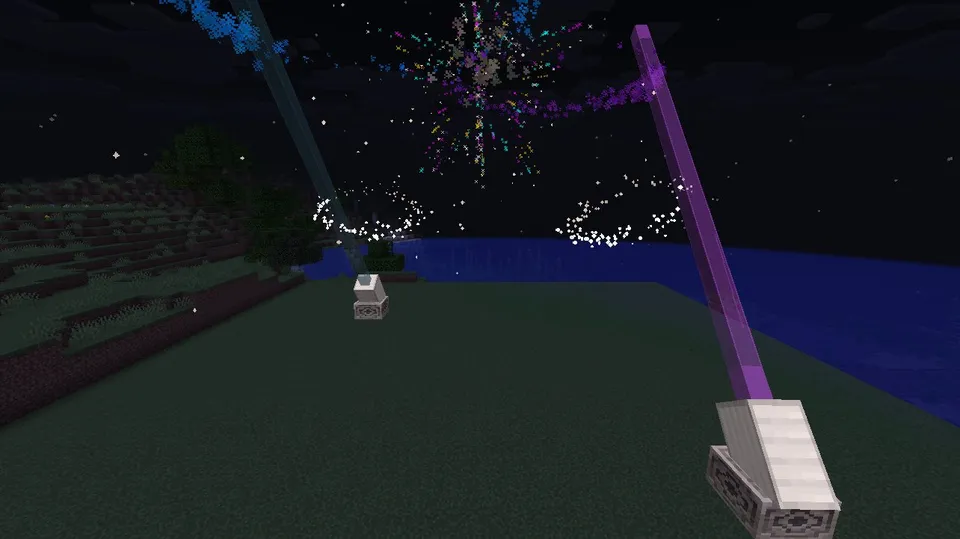
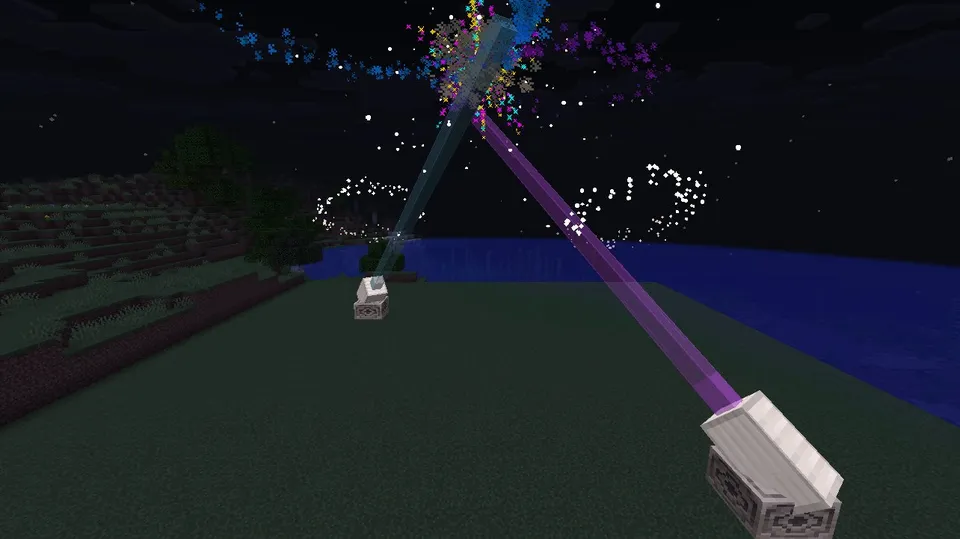
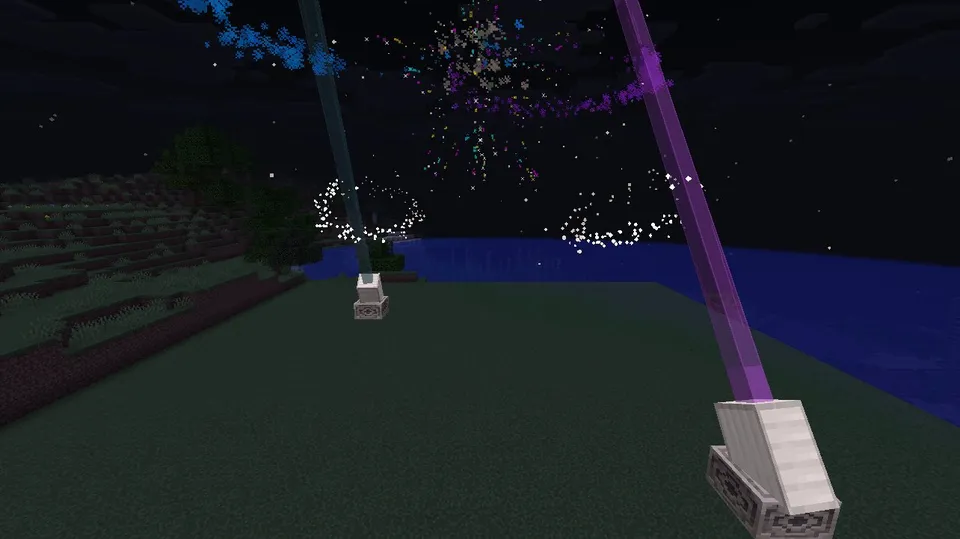
Recorded on our own test server: 50 frames at about 9.9 fps. Our image check saw: Two tilted white projectors on lodestone bases sweep cyan and magenta glass beams across the night sky, trailing colored particles and triggering a colorful burst where the beams intersect.
To turn these into live stage spotlights that follow a performer instead of sweeping the sky, replace @e[tag=c9_t1,limit=1] and @e[tag=c9_t2,limit=1] in the two facing entity loop commands with @p, and shorten each stained glass beam's Z scale in setup from 20.5f to 14.0f so the shafts converge right on the player.
/kill @e[tag=c9_ent]/scoreboard objectives remove c9_tickSwap cyan_stained_glass and magenta_stained_glass in the last four setup commands for any other stained glass colours, then adjust the RGB values in the dust particle loop commands to match.
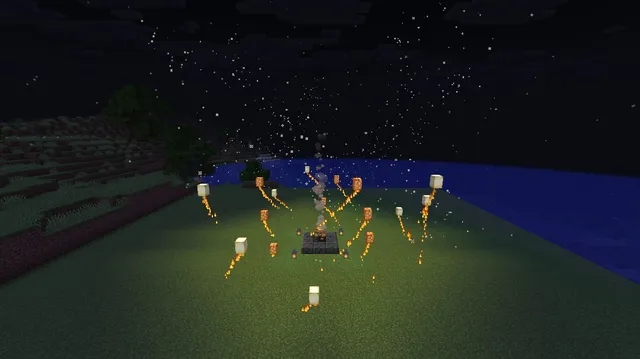
No. Only one rocket spawns every 3 seconds with LifeTime set to 0, so it bursts and despawns on the same tick while total entity count stays around 10.
 ▶
 ▶
 ▶
 ▶